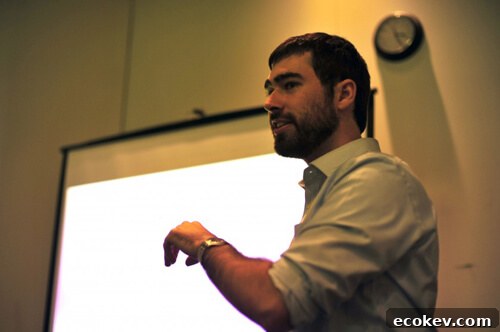
(Photo by Matt Mullenweg)
I delivered this presentation at WordCamp Houston yesterday. Several attendees told me they enjoyed it.
If you were there, I apologize for speaking quickly. This was a new talk for me and I was improvising a bit, which made me rush through some points.
If you have questions about any of the topics I covered, please leave a comment. Below is the presentation and notes on each subject I discussed.
View Presentation on Prezi
Frameworks
- Rather than reinventing the wheel, look for an existing framework you can build on.
- Thesis is excellent for standard, simpler sites. One of the screenshots was created in about an hour using Thesis.
- Other examples were built in a single day with Thesis. It supports quite a bit of customization; roughly three-quarters of my work uses Thesis.
- For more complex projects I often use Genesis (for example, Tufts Roundtable). I choose Genesis when Thesis lacks certain capabilities:
- Customizing The Loop: Genesis provides hooks into the loop and lets you remove the loop with a single remove_action(). (Update: a newer version of Thesis, released after this presentation, added a Custom Loop API.)
- Creating custom templates for categories, taxonomies or other non-standard pages: Thesis supports custom page templates by assigning a page to a “Custom Template,” but a parent/child theme structure gives you more flexible template files.
- BuddyPress integration: Genesis works well with BuddyPress, which is one reason we selected it for Tufts Roundtable.
- For very custom projects (for example, UTDallas) I build a custom parent theme with many hooks the client can use. The client customizes behavior via child themes and never needs to modify the parent theme directly. This reduces the risk of breaking the site, and when I update the parent theme their customizations remain intact.
Custom Post Types
- Custom Post Types let you separate different types of content logically. If your site includes both a blog and products, products should not live in the Posts area; create a distinct post type for Products.
- The screenshot shows LogDogJobs, which uses a custom post type for job listings to keep that content organized and separate from regular posts.
Custom Taxonomies
- Custom taxonomies let you define additional ways to categorize content beyond the built-in categories and tags.
- If your project requires other logical groupings, create extra taxonomies tailored to your content model.
- An example I highlighted (CultureMob, pending release at the time) uses Categories (Art, Music, Food, etc.) and Cities (Seattle, Houston, San Francisco). That allows content to be aggregated by Category (Art), City (Seattle), or both together (Seattle Art).
Additional Sidebars
- Sidebars and widgets are powerful but often overused. They work best for content that appears repeatedly across multiple pages and needs to be editable.
- On my site the homepage uses three columns. The first column is the main page content. The second column is a sidebar named Services, and the third column is Sidebar 2. Inner pages show Sidebar 1 followed by Sidebar 2. Content that appears in multiple places—like “My Story”—should be stored in a single sidebar (Sidebar 2) so it stays consistent across the site.
- StuckInCustoms.com uses a custom sidebar for a header button. By implementing that element as a sidebar, the client can update the image and link without editing theme code.
Multiple Content Areas
- I shared my technique for multiple content areas (previously documented on my site), which lets you break a single page into independently managed sections.
- I also mentioned an extension I plan to build: the new version will take the content of an h4 (or another tag you choose) and apply it as a class to a wrapping div, using an h4 with the content “End” to mark the endpoint. This approach would allow editors to create multiple types of stylized content blocks easily and maintainably.